Find your palette
Choose from six presets, adjust individual colours, or save your own. Automatic light and dark palettes follow your system.

Glaze · Blackboard Ultra

A calmer place to study. Shape Blackboard Ultra with your own palette, readable type and just the details you need.
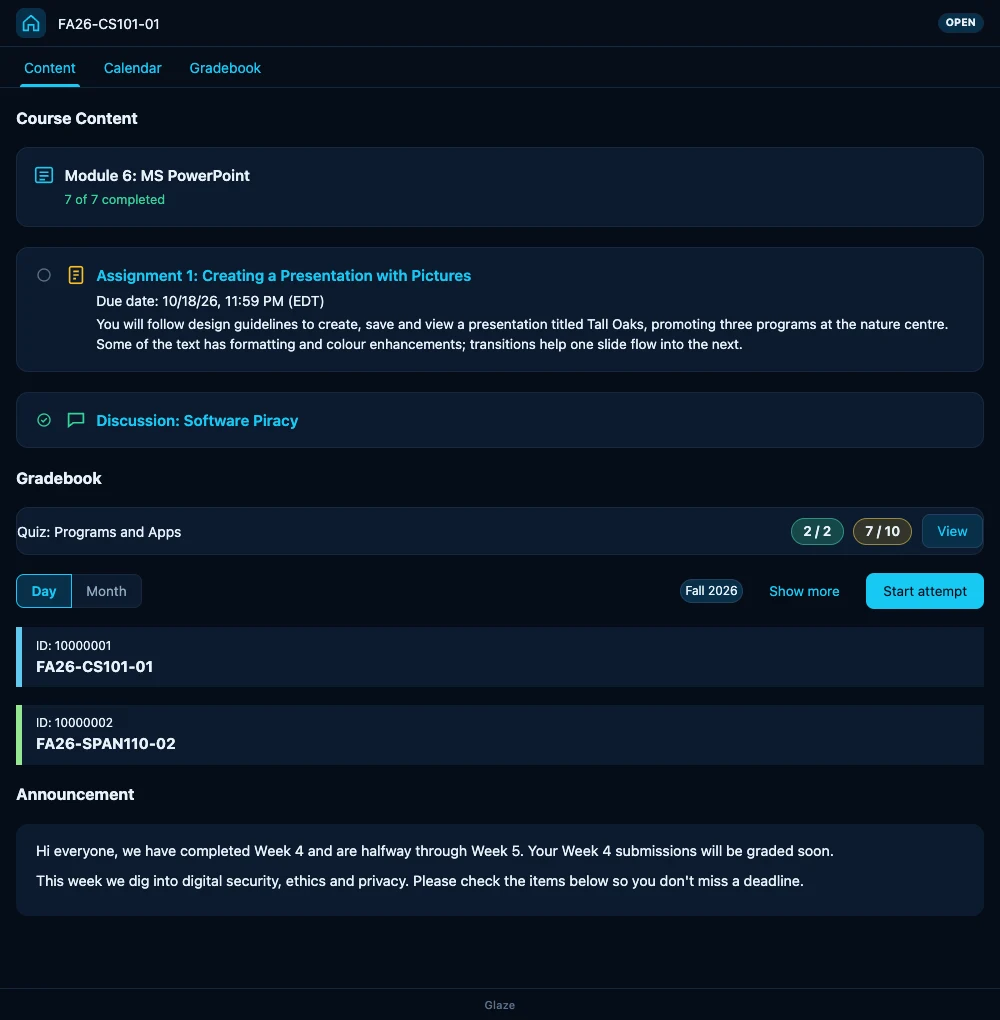
Make room for focus
Start with a preset, then tune the parts that make the biggest difference to your day.
Choose from six presets, adjust individual colours, or save your own. Automatic light and dark palettes follow your system.
Try Inter or Atkinson Hyperlegible. Adjust text size, line height and density, then check the result in the live preview.
Due-date countdowns, score bars, course progress and folder previews start off. Turn on the helpers that work for you.
Quick change or full control
The popup keeps palettes and motion close. Open the editor puts every setting beside a live preview: colours, backgrounds, course colours and more.
These editor features are in Glaze 2.0.1. Safari has a signed, notarized Mac download. The Chrome Web Store rollout is underway; check the version on the store listing. The Chrome guide also covers the official 2.0.1 download.
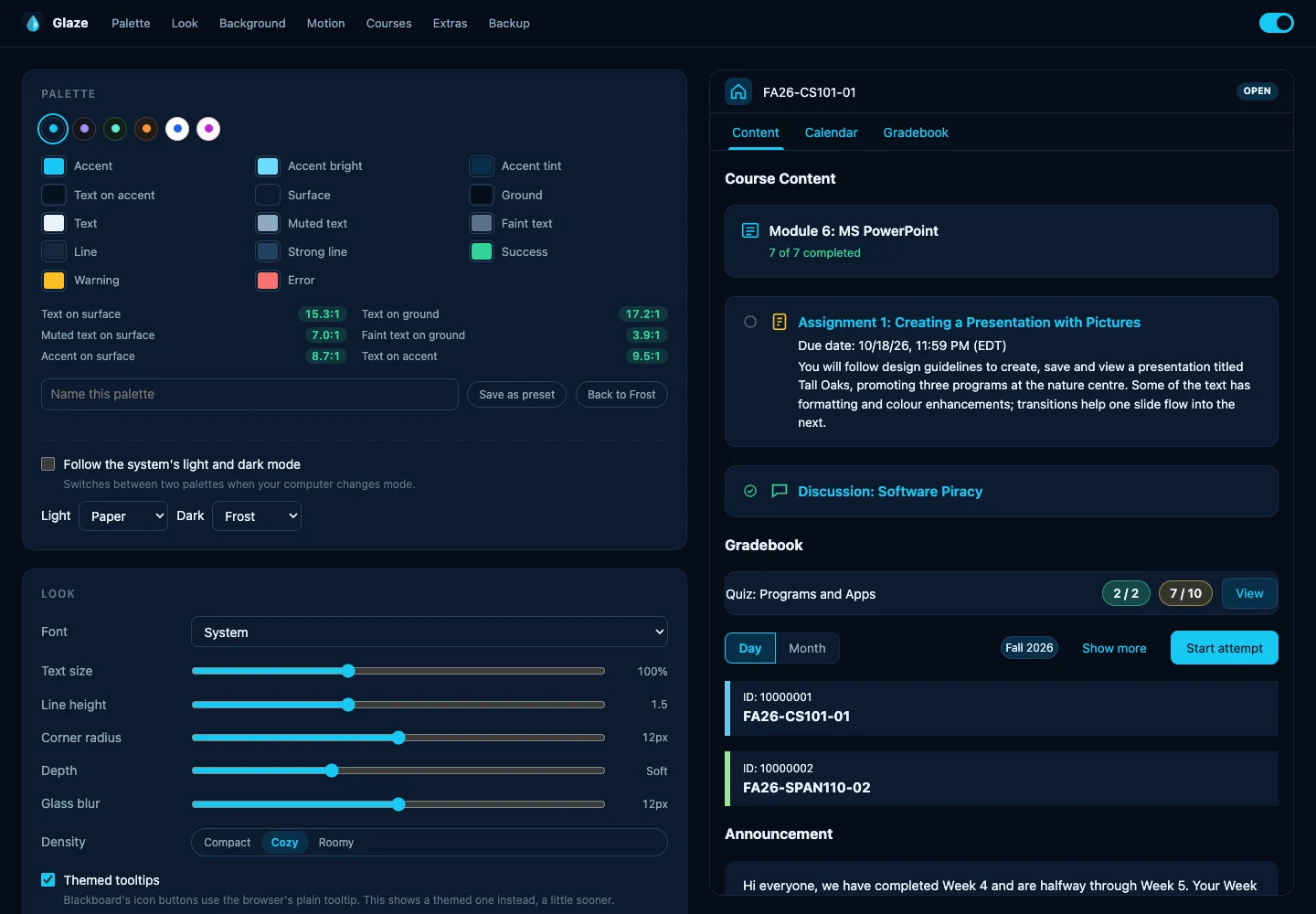
Start in your browser
Use the signed Mac release, grant access to your Blackboard site, and make your first theme.
Follow the Safari guide → ChromeStart with the store version or load the 2.0.1 package, then explore the editor and back up your settings.
Follow the Chrome guide →Glaze by Frostdev
Glaze has no analytics or server. Optional folder previews use your Blackboard session; an image background loads the URL you choose. It restyles Ultra pages without submitting coursework.
Works on Blackboard Ultra pages under /ultra/. Not affiliated with or endorsed by Anthology Inc.