Crucible: install a pack
Open a pack from a link or a code, read its preview, install it as a profile of its own, and take its updates without losing your own changes.
A friend sent you a Crucible link or code, or you found a pack on the Crucible website. Installing it takes two clicks and never touches your own mods: the pack becomes a profile of its own.
You need the Kiln launcher, 0.2.0-dev.30 or newer, with Kiln installed in the game. No account is needed to install.
Open the pack
From a link. Click it. The pack’s page on frostdev.io opens; press Open in Kiln and the launcher shows the pack. No Kiln yet? Get Kiln on that page takes you to the download. Install the launcher, and at its first start it opens the pack you came for.
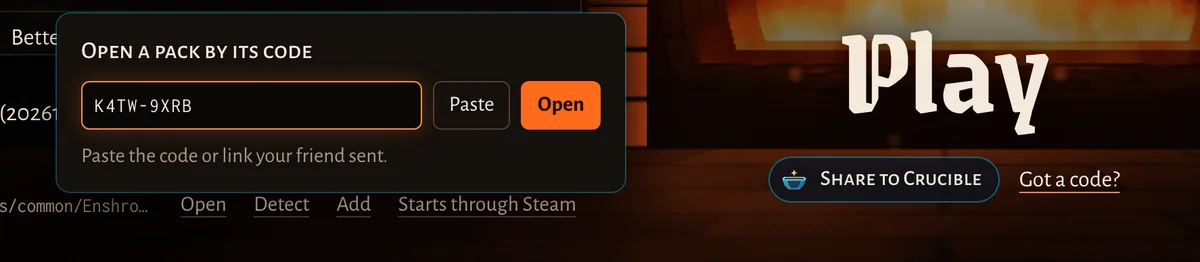
From a code. On Play, press Got a code? under the Play button, then type or paste the code and press
Open. A code you copied is filled in by itself (or press Paste). Any case works, with or without the dash or a
space: k4tw9xrb, K4TW 9XRB and K4TW-9XRB are the same code.
From a file. Drop a .kilnpack file on the launcher window.
Read the preview
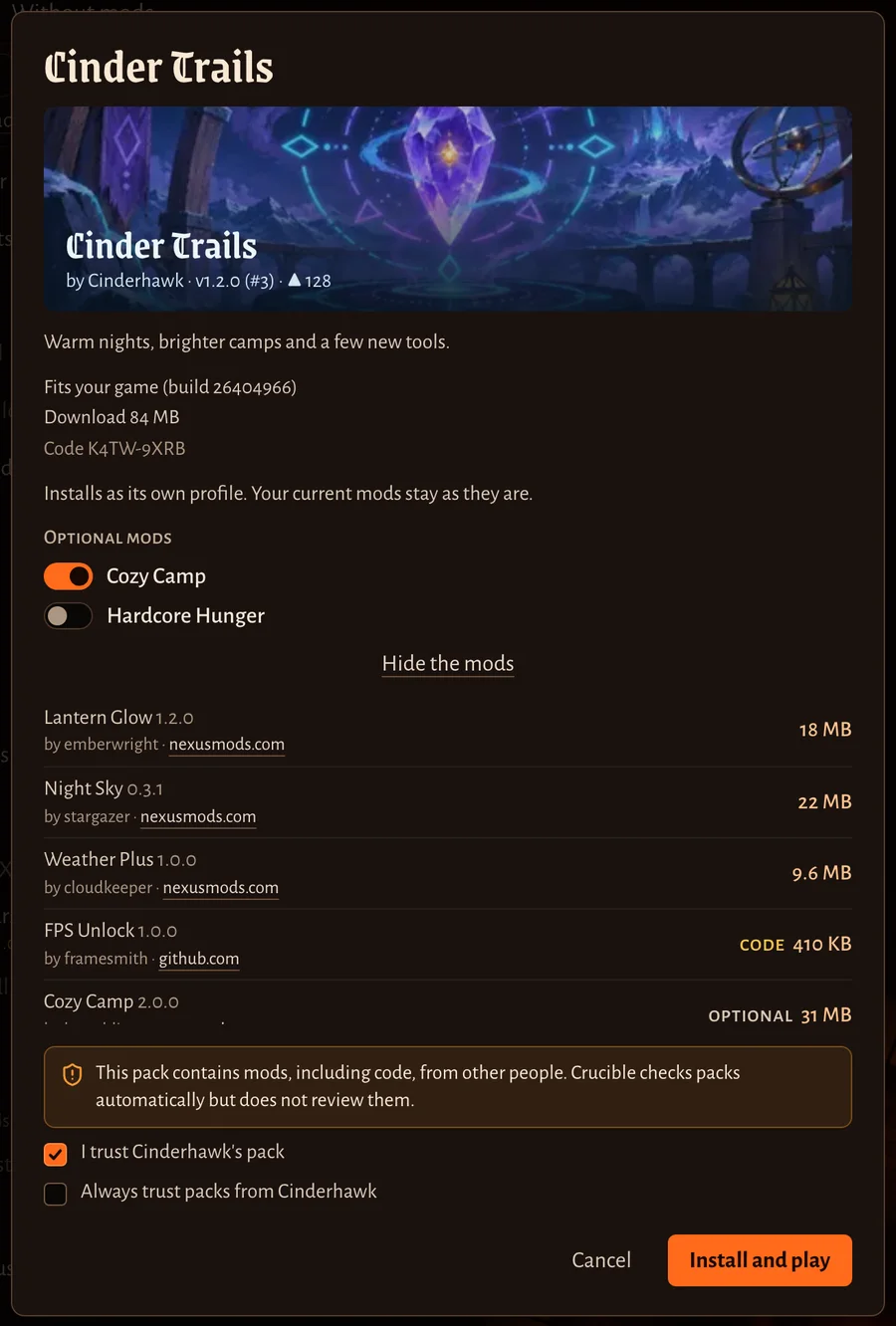
The preview tells you what you are about to install:
- the pack’s name, its creator and version, and its code;
- Fits your game, or a note when it was made for another game build (some mods may then need updates);
- the download size. Mods already in your Library aren’t downloaded again;
- Installs as its own profile. Your current mods stay as they are.;
- Optional mods, each with a switch: turn on the ones you want;
- See the mods and their credits: every mod with its size, its author and where it comes from. Mods marked code run code on your PC;
- the warning: the pack contains mods, including code, from other people. Crucible checks packs automatically but does not review them.
Tick I trust …’s pack. Tick Always trust packs from … too if you want to skip that box for this creator next time. Then press Install and play.
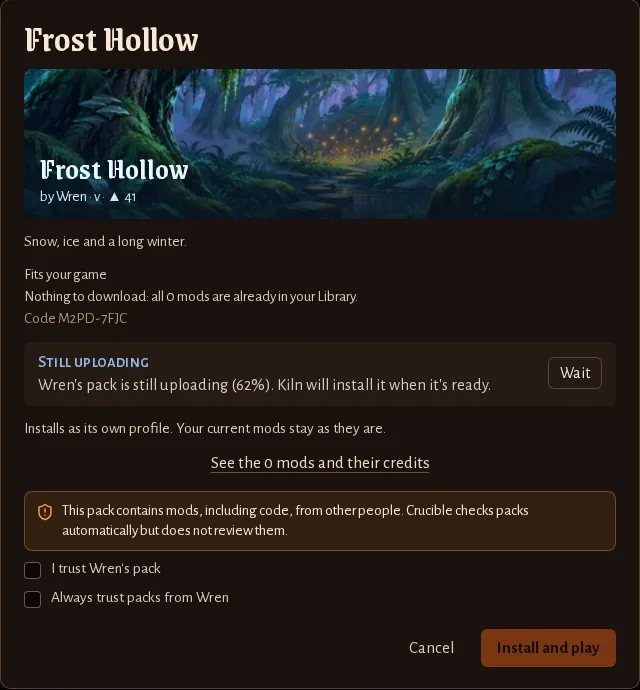
If the creator is still uploading, the preview says so with the progress. Press Wait and Kiln installs it when the upload is done.
If your Kiln is too old for the pack, the preview says which version it needs: press Update Kiln.
What installing does
- Kiln downloads what your Library lacks and checks every file. A pack that fails its checks can’t be installed.
- Your saves are backed up.
- The pack becomes a new profile named after it, and that profile is loaded. Your other profiles stay as they are.
- The game starts.
Changed your mind? Press Undo on the “installed” message to go back to the profile you had. The pack stays in Settings, Profiles, ready to load again.
Your worlds are shared between profiles. Start a new world for a pack that changes a lot, or keep the backup Kiln made.
Updates
When the creator updates the pack, your Play page shows Pack update with what changed. Press See changes.
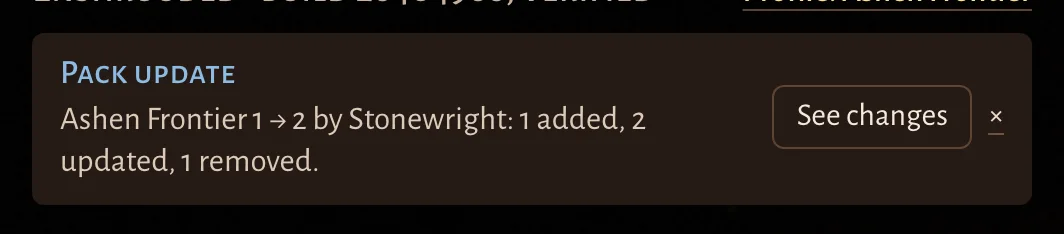
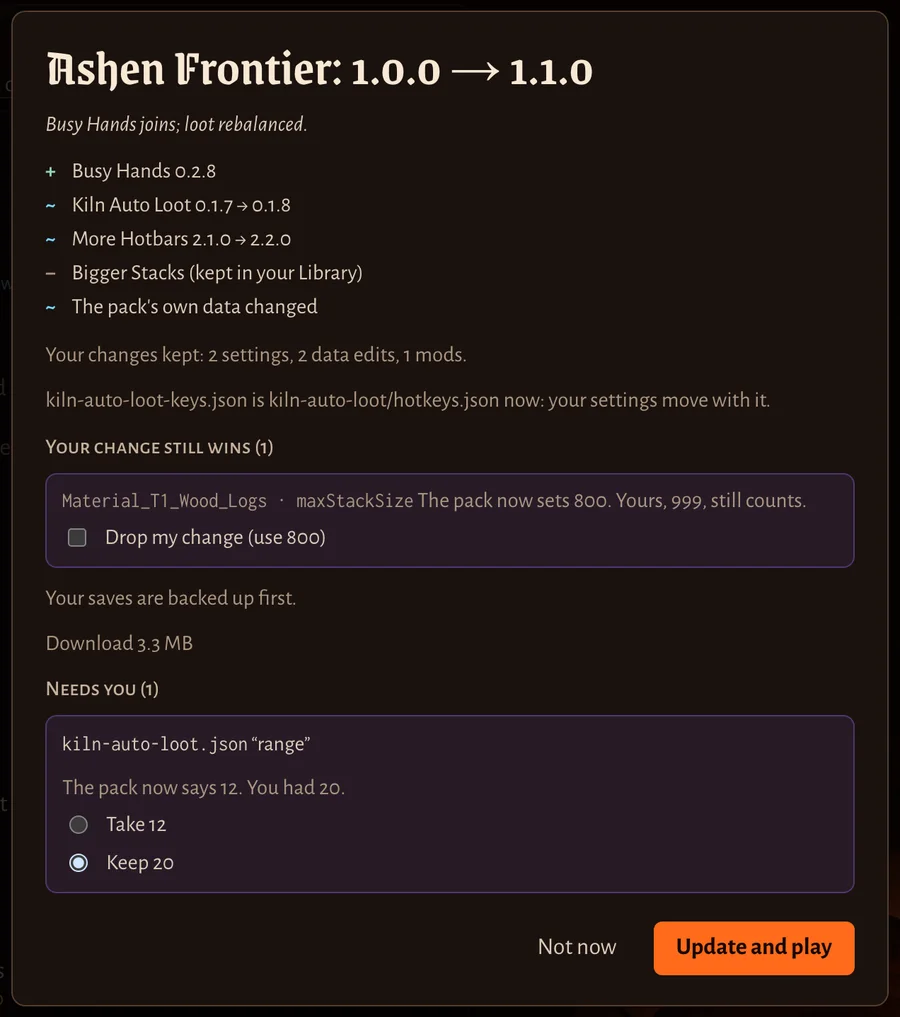
The update screen lists the mods added, updated and removed (removed mods stay in your Library), and what of yours is kept. Your own changes stay:
- settings you changed in the pack’s mods;
- mods you added to the pack’s profile;
- your own data edits. They load after the pack, so your change still wins. Drop my change lets the pack’s value apply instead.
When you and the pack changed the same setting differently, it’s under Needs you: choose Take (the pack’s value) or Keep (yours). Your saves are backed up first. Then press Update and play, or Not now.
Undo an update, or uninstall
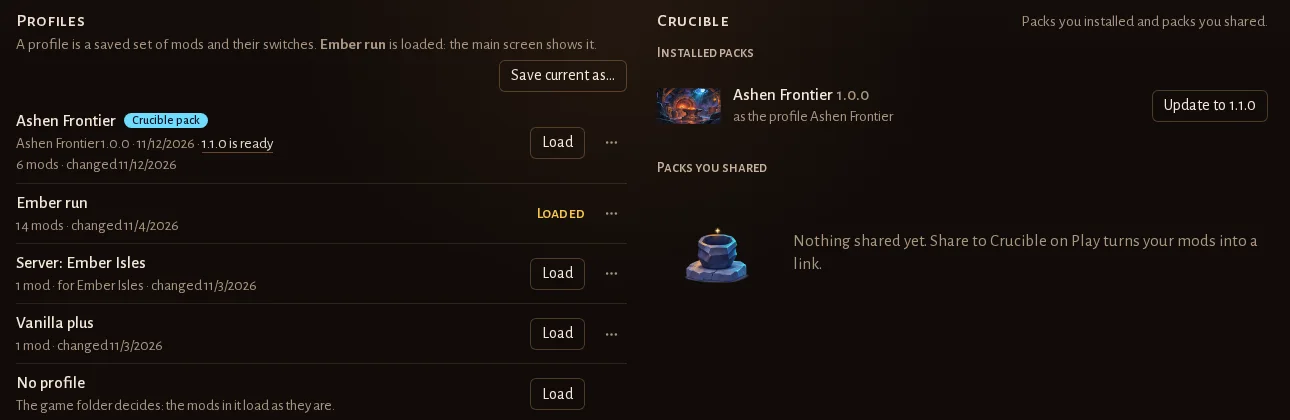
Open Settings, Profiles. The Crucible card lists your installed packs:
- Undo last update puts the pack back to the version before, with your changes as they were. It works once per update.
- Uninstall removes the pack’s profile. Its mods stay in your Library (Clean up there removes mods nothing uses). Your other profiles stay as they are.
When something goes wrong
- “We couldn’t find that code.” Check the code with your friend. Codes have eight letters and numbers.
- “Kiln can’t reach Crucible.” Ask your friend for the pack file (Save as file) and drop it on the launcher.
- “This pack is no longer on Crucible.” Its creator deleted it, or it was taken down.
- “Close Enshrouded first.” A pack can’t be installed or updated while the game runs.
Make your own pack: share your mods or Pack Studio.