Pack Studio: make your own modpack
Build a Crucible pack with optional mods, your settings, your own item and recipe changes, a test run, credits, and publish it as a link or for everyone.
Pack Studio is the launcher’s pack editor. Where Share to Crucible shares your mods as they are in one click, the Studio lets you shape the pack first: optional mods, the settings you want players to get, your own changes to items and recipes, a test run, credits, and a public listing on Crucible.
You need the Kiln launcher 0.2.0-dev.30 or newer on Windows or Linux (the Steam Deck installs packs but has no Studio).
Start a pack from a profile
- Open Studio in the launcher’s top bar, then press New pack.
- Under Start from, pick the profile you play. Its mods and their switches come along. Empty (a new profile) starts with no mods and makes a profile named after the pack.
- Give it a name and press Create.
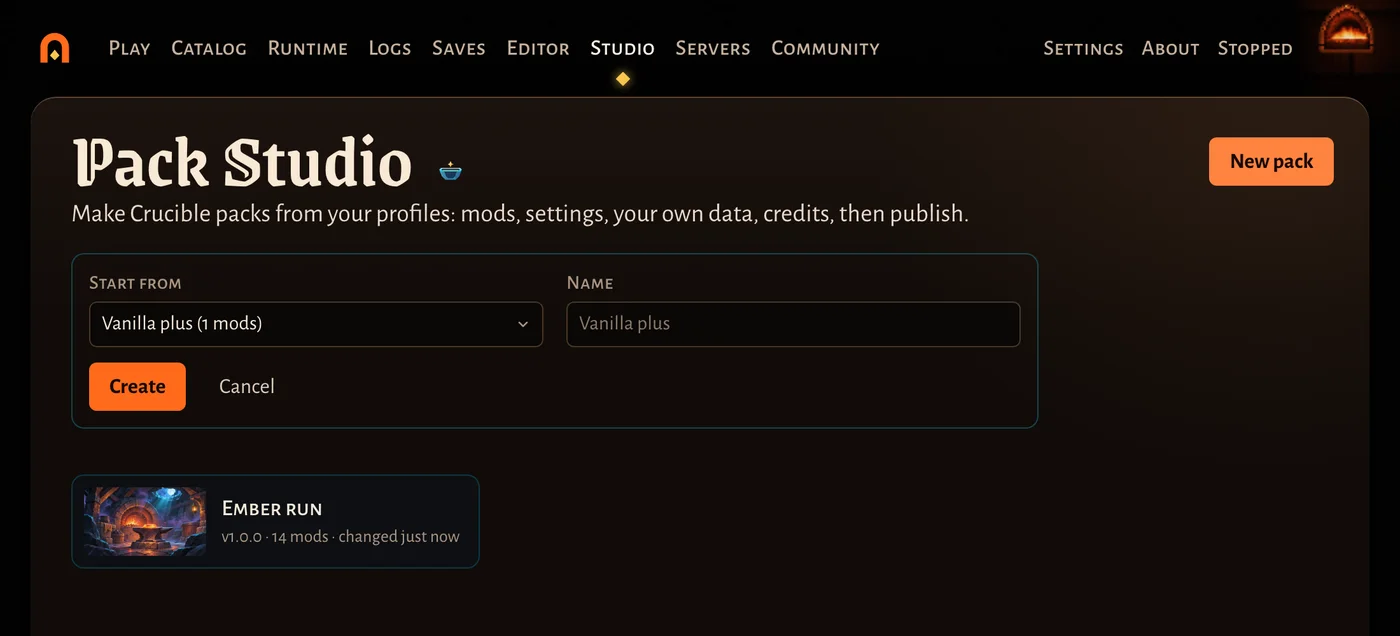
The pack stays tied to that profile: play the profile, change what you like, and the Studio sees it. Each pack has the tabs Mods, Settings, Data, Load order, Test, Credits and Publish.
Mods and optional mods
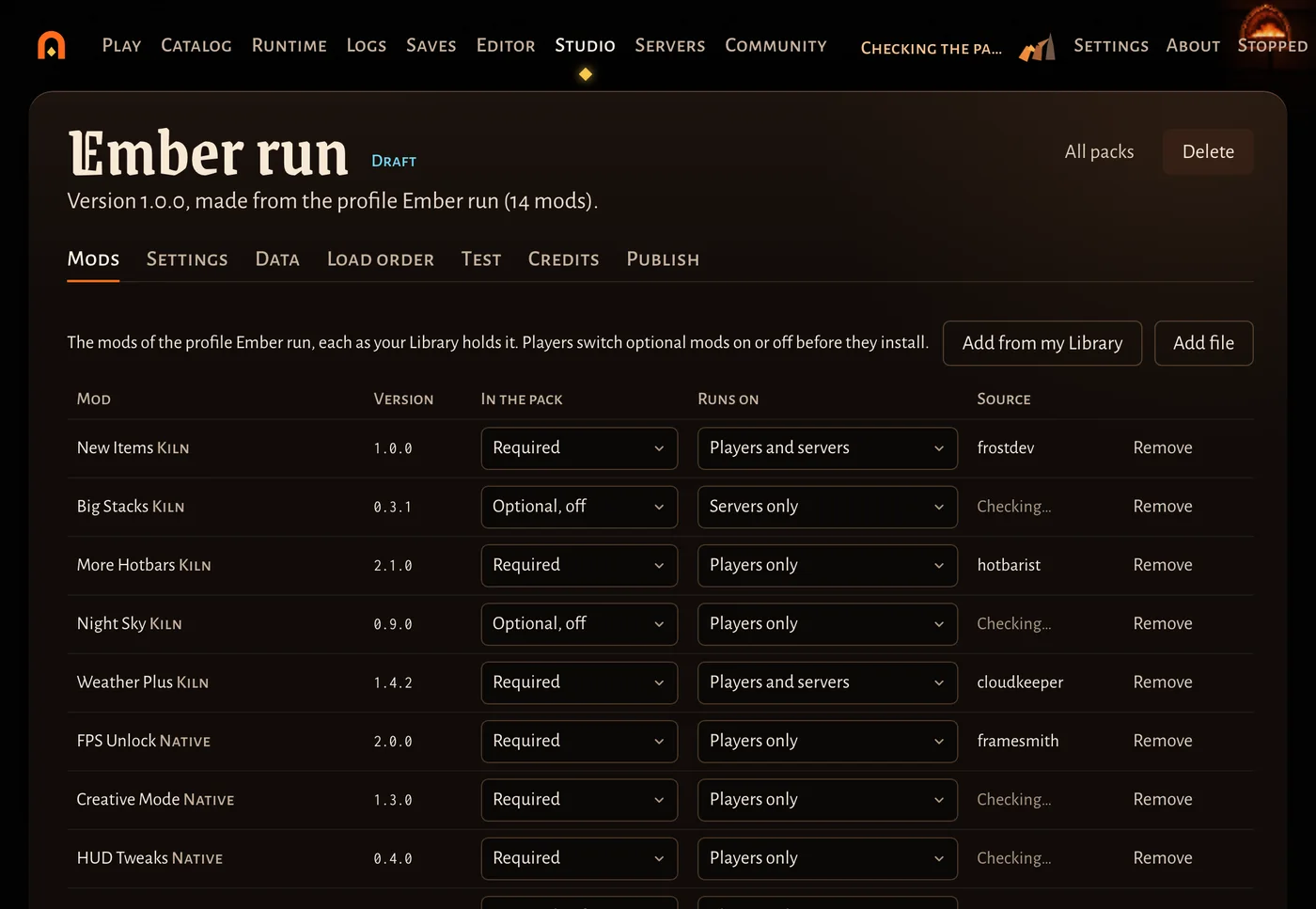
The Mods tab lists every mod of the profile. For each one choose:
- In the pack: Required, Optional, on or Optional, off. Players switch optional mods on or off in the preview before they install.
- Runs on: Players and servers, Players only or Servers only.
Add from my Library and Add file add mods; Remove takes one out. The Source column says where Kiln thinks each mod comes from.
Capture your settings
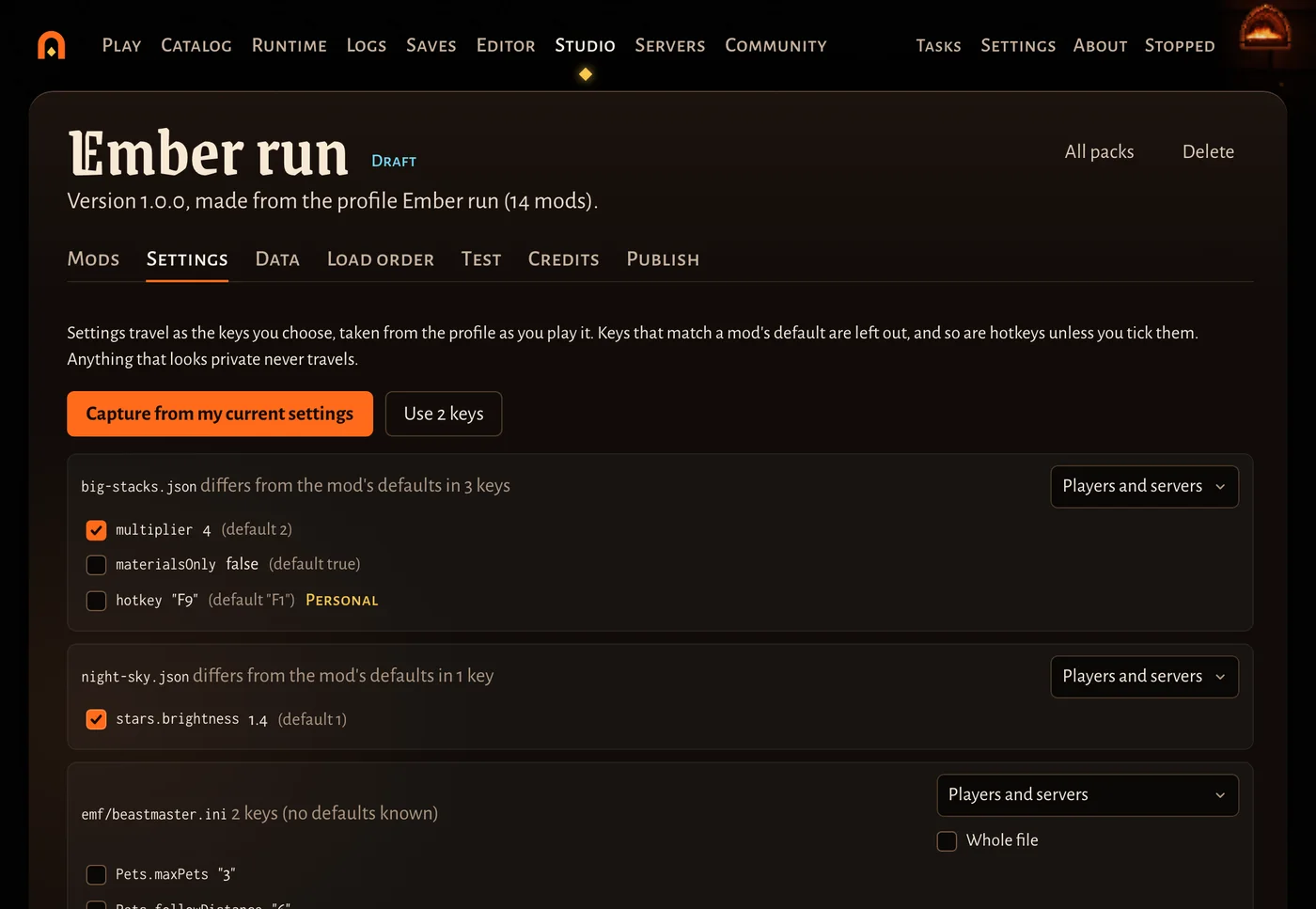
Players get the settings you choose, never typed by hand: the Studio takes them from the profile as you play it.
- Play the pack’s profile once and set the mods up the way you like.
- Open Settings and press Capture from my current settings.
- Each settings file shows the keys that differ from the mod’s defaults, ticked. Untick what should stay the player’s choice. Pick who gets each file (players and servers, players only, servers only).
- Press Use … keys.
Hotkeys and key bindings are marked personal and left out unless you tick them. Anything that looks private (a password, a token, a webhook) is marked private and can never be chosen.
Server game settings (health, enemies, building) can be taken from one of your servers in the launcher: Take from this server, tick the ones you want, Use the ticked settings. A server’s name, password and ports never travel.
Your own data: the Data tab
Data holds the pack’s own changes to the game’s data, with no mod to write. It has editors for Items, Recipes, Loot, Drops, New items and Raw JSON. Every change is saved into the pack’s own layer, a small data mod that loads after every mod of the pack, so its values win.
Worked example: change a recipe’s cost
Say you want the Crafted Sword to cost 3 Metal Scraps and 2 Wood Logs and take 20 seconds.
- Open Data, then Recipes, and press + Change a recipe.
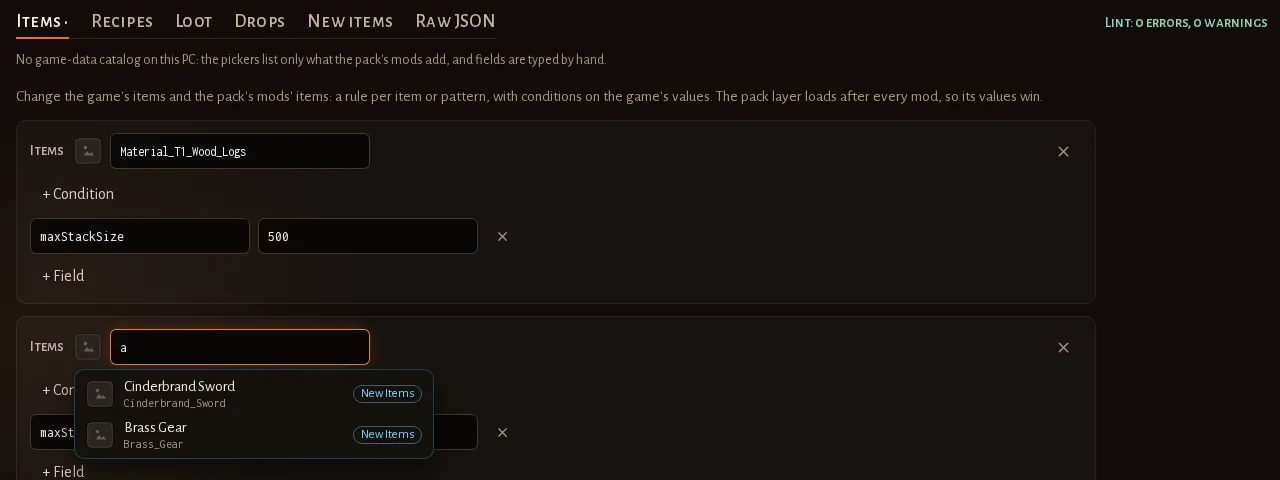
- In Recipe, type part of the name (“crafted”, “sword”) and pick Crafted Sword from the list. You never need to know the game’s internal names: the picker shows the game’s own names and icons, and the internal name it fills in.
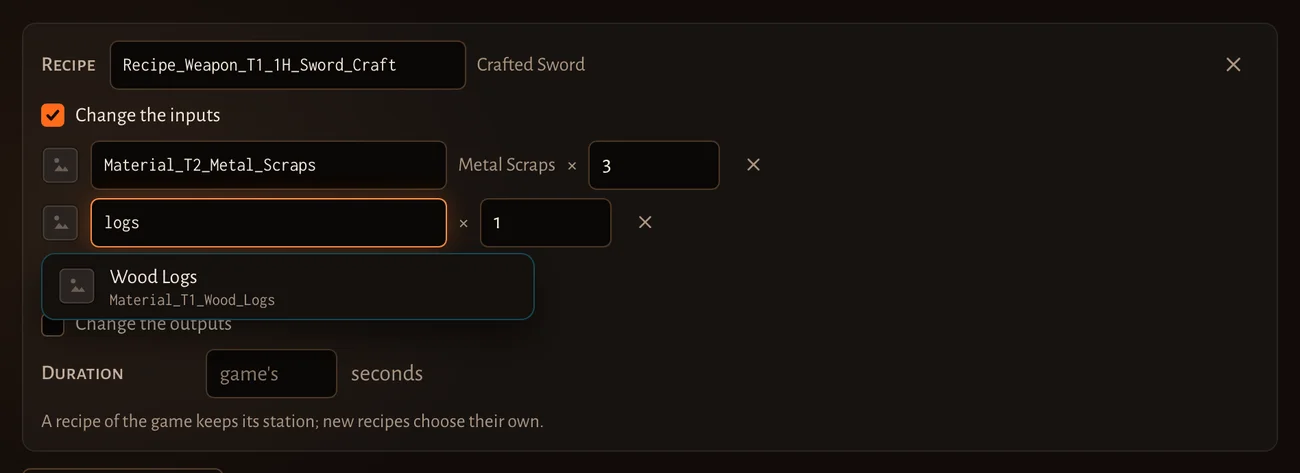
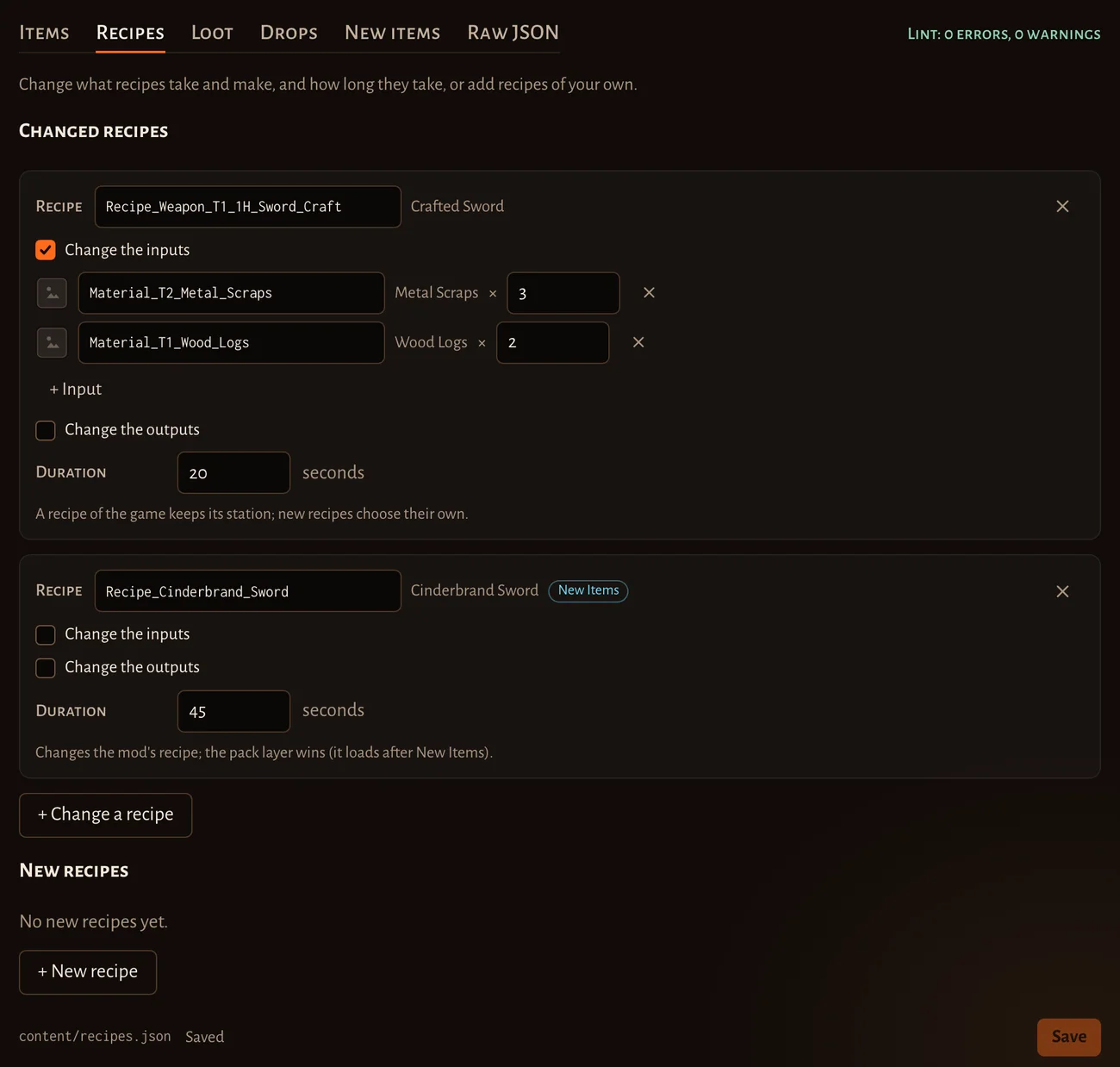
- Tick Change the inputs. The list you give replaces the recipe’s inputs, so add every input it should take: pick Metal Scraps and set the count to 3, press + Input, pick Wood Logs and set 2.
- In Duration, type 20 (seconds). Leave it empty to keep the game’s time.
- Press Save at the bottom.
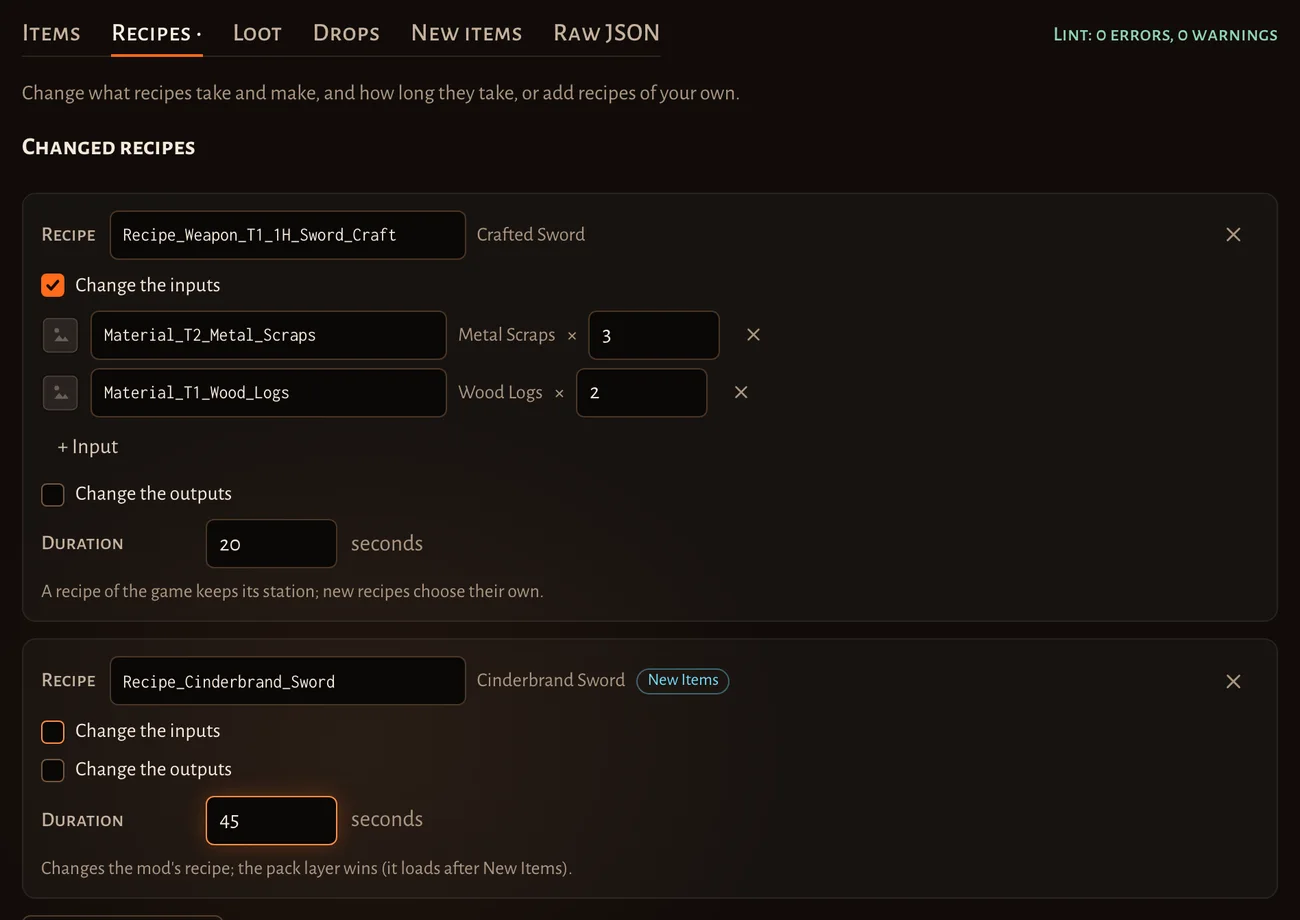
The picker also lists what the pack’s mods add, marked with the mod’s name: in the picture, Cinderbrand Sword comes from the New Items mod. A change to a mod’s recipe says Changes the mod’s recipe; the pack layer wins (it loads after …). Change the outputs works the same way for what a recipe makes. + New recipe adds a recipe of your own, with a Station (or Crafted by hand), inputs and outputs.
Live checks
The line at the top right (Lint: 0 errors, 0 warnings) checks the whole layer after every save, with Kiln’s own checker. A name that is neither the game’s nor a mod’s is a warning; broken JSON is an error. Show problems lists them with the file and line.
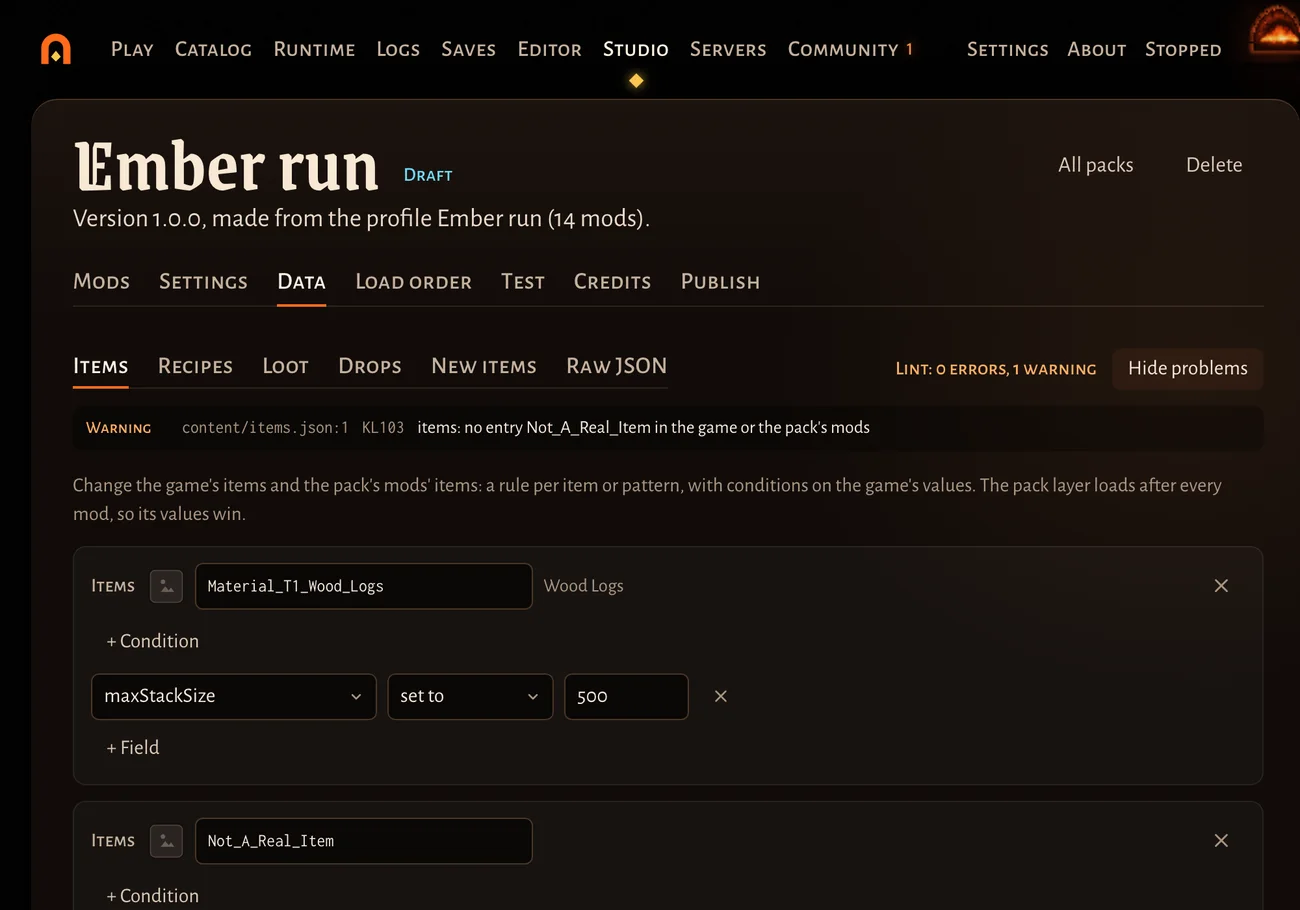
The other editors work the same way: Items (stack sizes, rarity, damage and other values, per item or for every item that matches a condition), Loot (stack sizes of random loot), Drops (enemy loot and fixed chests), New items (a copy of a game item with its own name and values) and Raw JSON for anything else.
If the picker is empty
The pickers read the game-data catalog: a list of every item, recipe and station, made from your own copy of the game. The launcher doesn’t make it by itself yet. Without it the Data tab says No game-data catalog on this PC: the pickers list only what the pack’s mods add, and fields are typed by hand.
To make it:
- Download the
kilncommand line tool:kiln.exe(Windows) orkiln(Linux) from the download page, under mod authors. The GitHub release has the same files askiln-<version>-windows-x86_64.exeandkiln-<version>-linux-x86_64, and the SDK zip on Nexus Mods has it too. - Open a terminal in the folder you saved it to and run it once with
catalog build:.\kiln.exe catalog buildon Windows,chmod +x kiln && ./kiln catalog buildon Linux (use the file’s own name if it came from GitHub). It finds the game by itself, takes about a second, and never writes into the game folder. - Open Pack Studio again: the pickers now list the game’s items, recipes and stations.
Build it again after a game update (kiln catalog status says when). A coming update makes the launcher do this by
itself. More: catalogs.
Load order and conflicts
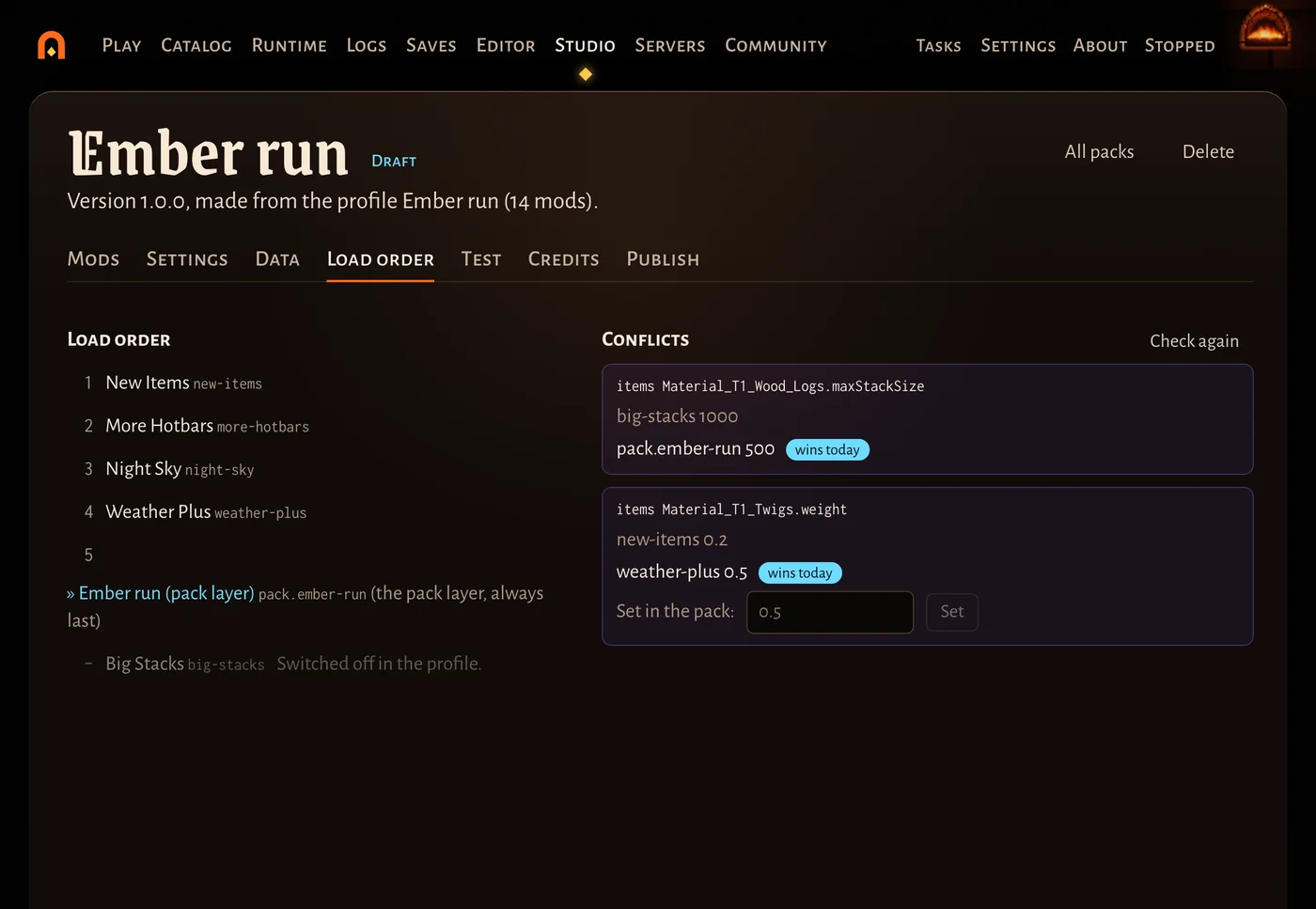
Load order shows the order Kiln will load the pack’s mods in. The pack layer is always last: (the pack layer, always last). Mods switched off in the profile are listed under it, greyed out.
Conflicts lists every value two mods set differently, and which one wins today (the later mod). To decide one yourself, type the value under Set in the pack: and press Set: it goes into the pack layer, which loads last.
Test this pack
Test installs the pack exactly as players get it, as a separate profile named “… (test)”.
- Press Test this pack. Your saves are backed up first.
- Press Play the test. Start a new world for the test, so your own worlds stay as they are.
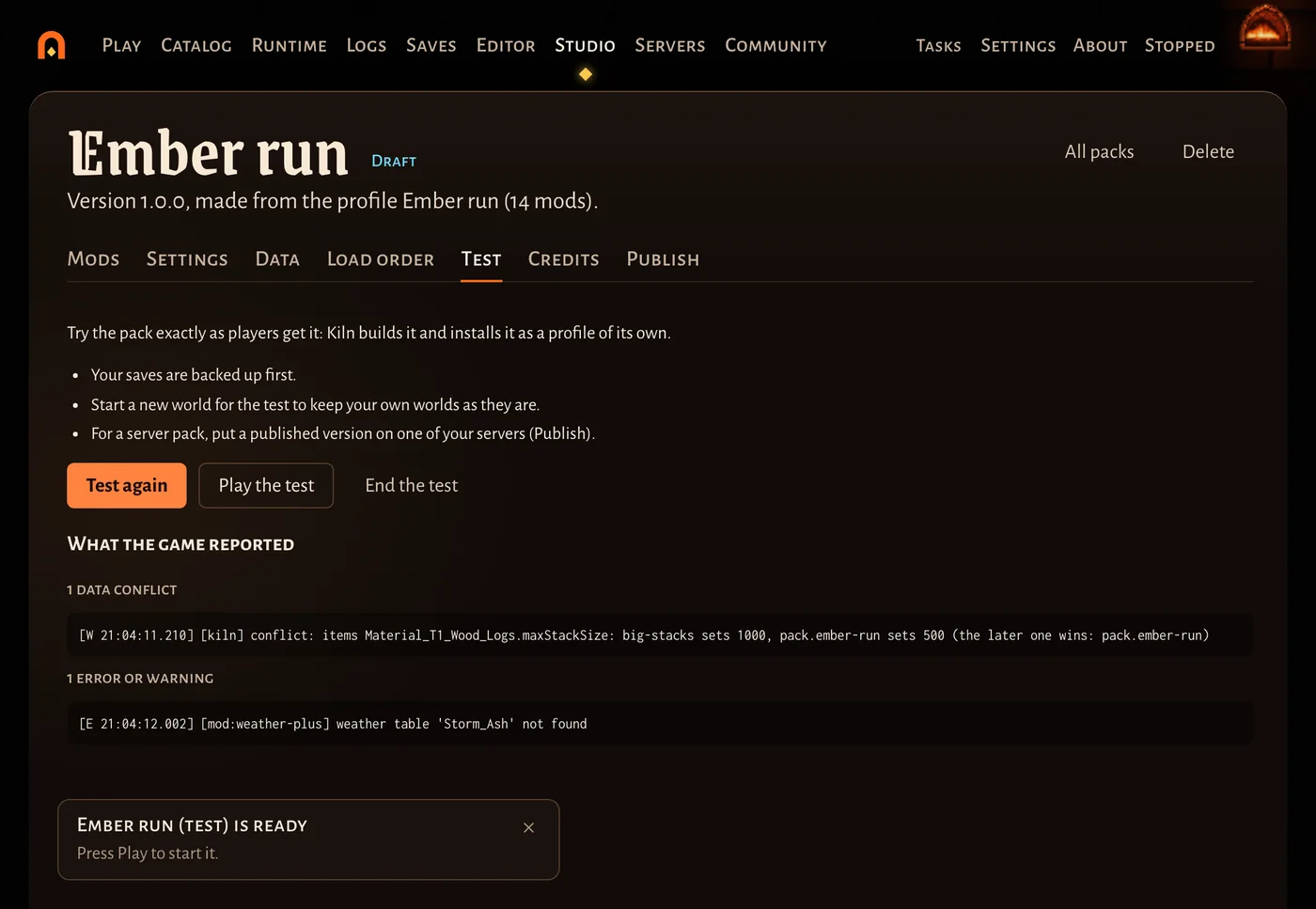
- Quit the game and come back to the Test tab. What the game reported lists data conflicts, errors and warnings from that start.
- Change what you need, then Test again. End the test removes the test profile and loads the pack’s profile again.
Credits
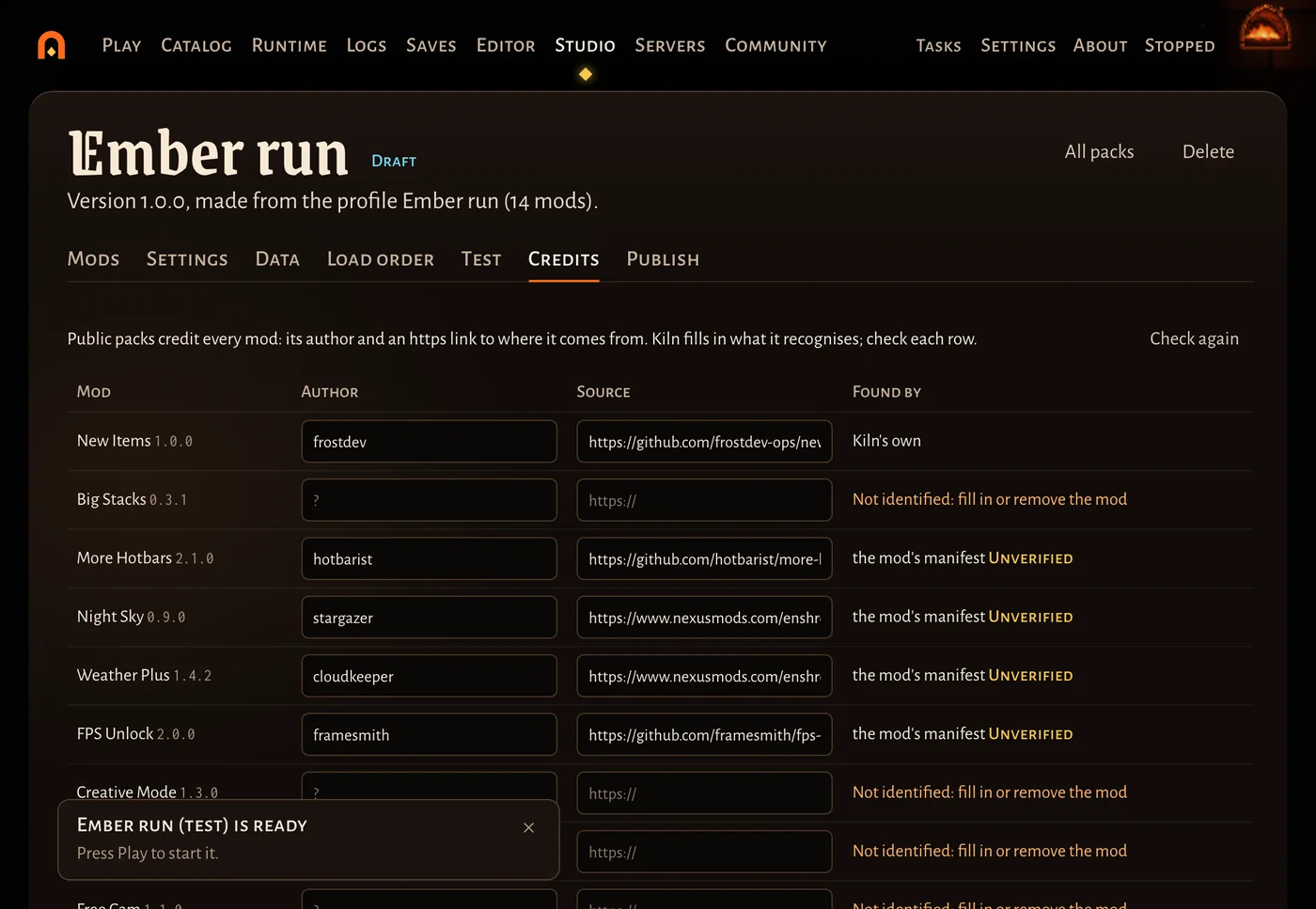
Credits has a row per mod: its Author and a Source link (https) to where it comes from. Kiln fills in what it recognises (Kiln’s own mods, the mod’s own manifest, earlier credits) and says Found by how; check each row and fill in the rest. A public pack needs a credit for every mod; the line at the top counts what is missing.
Publish: link only or public
Publishing needs a Discord sign-in (players don’t need one to install). On Publish:
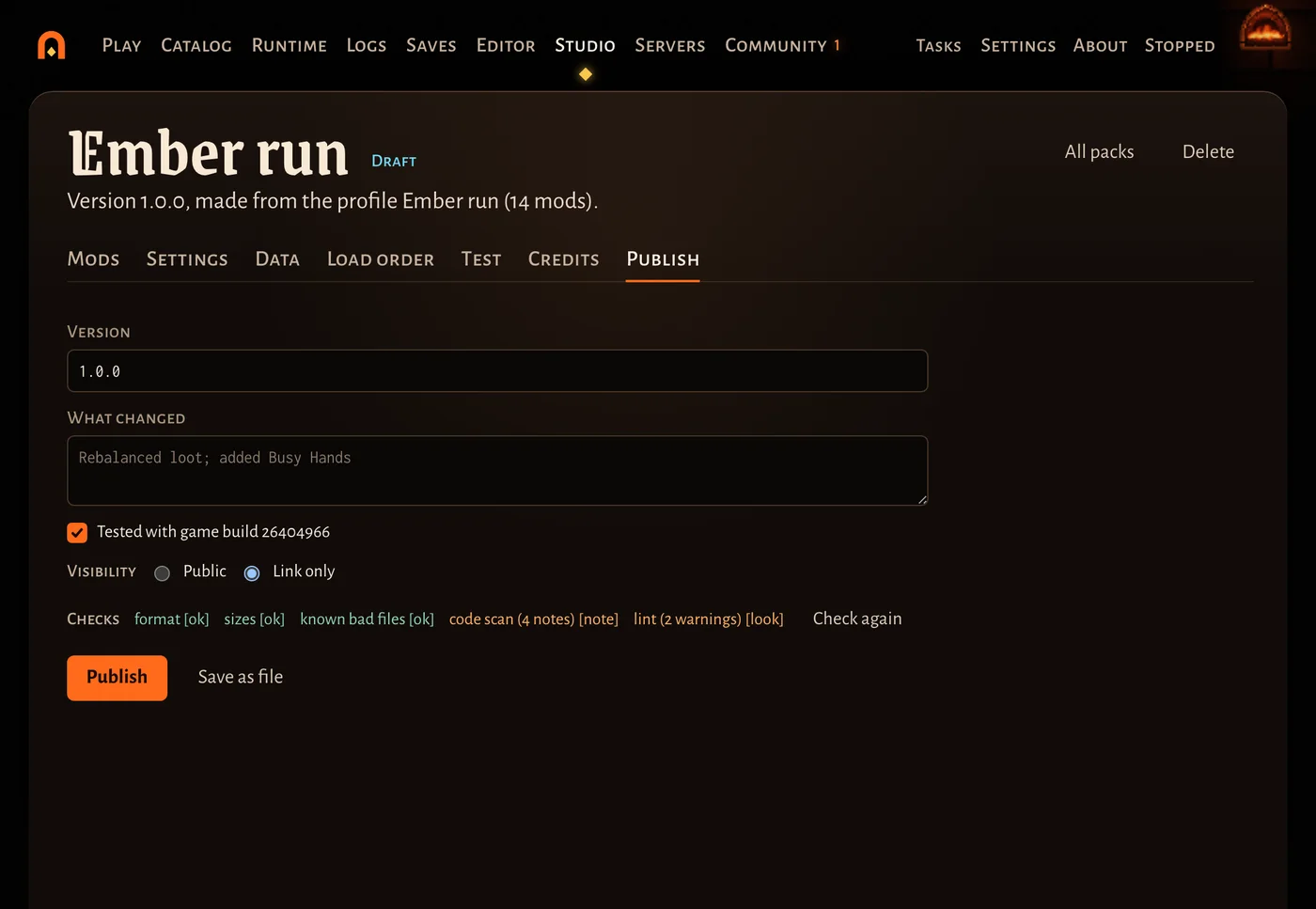
- Check the Version (the next one is proposed) and write What changed. Leave Tested with game build … ticked if you tested it.
- Choose Visibility:
- Link only: anyone with the link or the code can install it; it isn’t listed on Crucible.
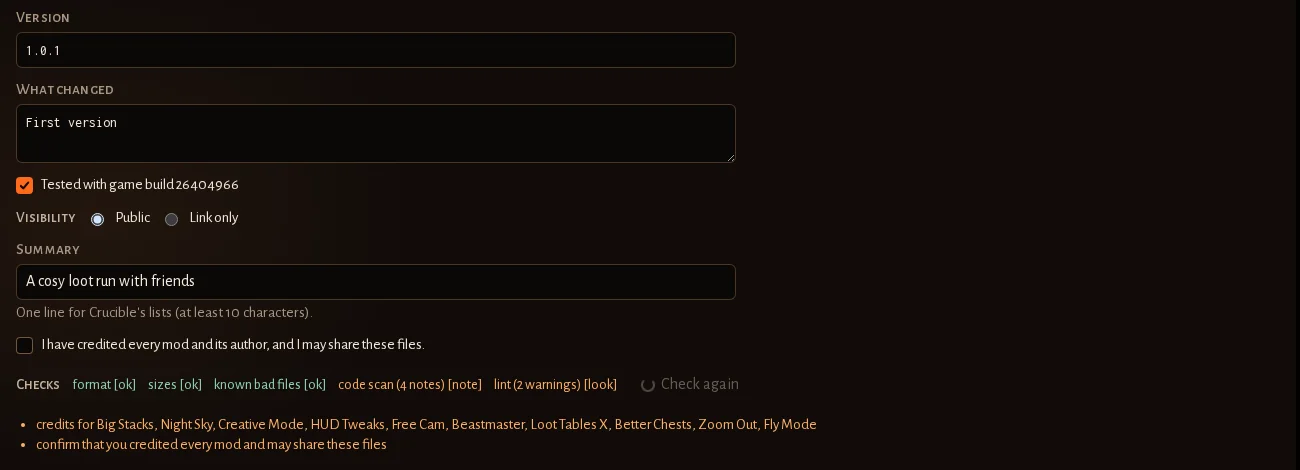
- Public: listed on the Crucible website for everyone. It needs a Summary of at least 10 characters, a credit for every mod, and the box I have credited every mod and its author, and I may share these files.
- Press Publish. The link is copied, with its code.
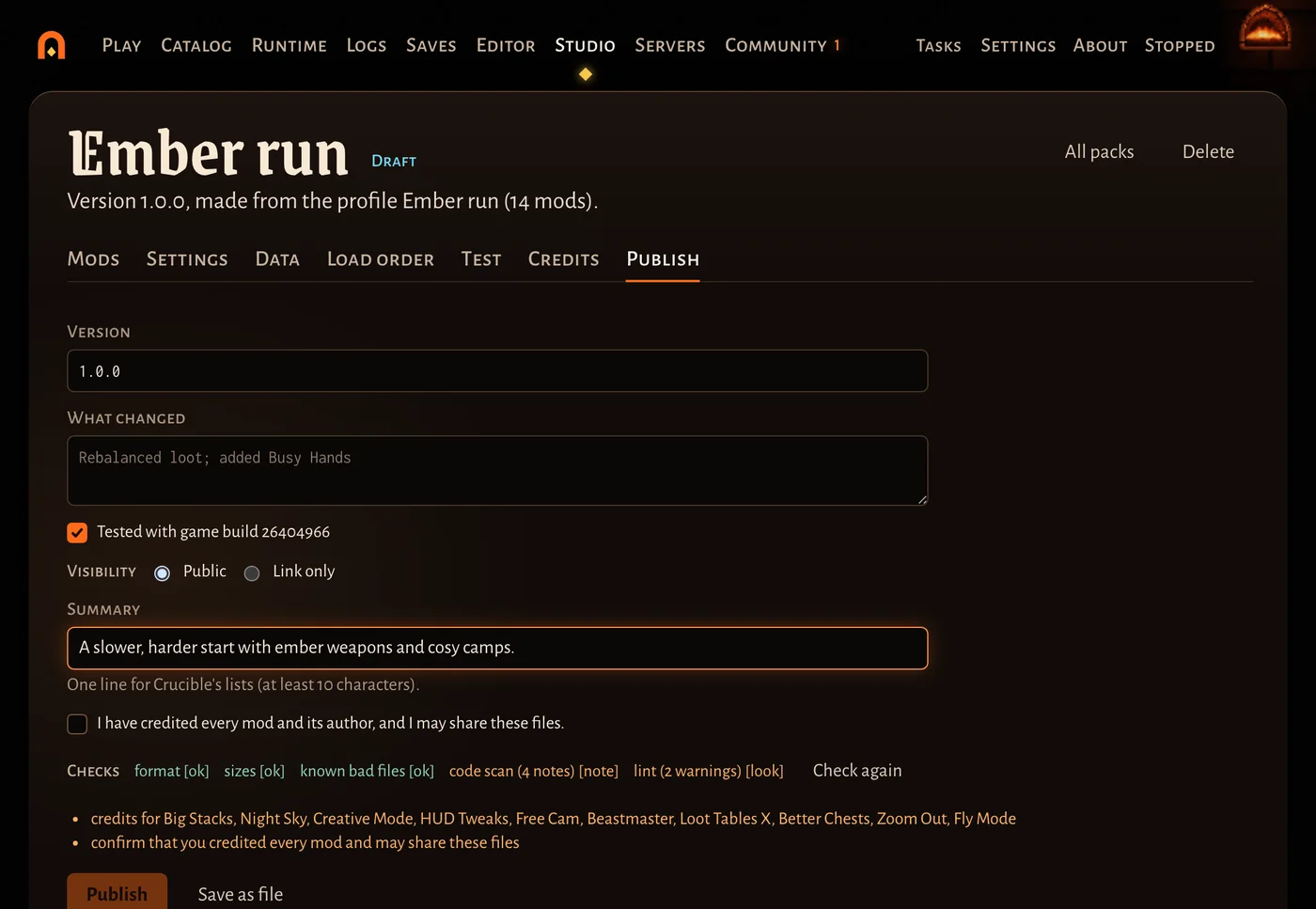
What is still missing shows in a list under the checks, and Publish waits until it’s done.
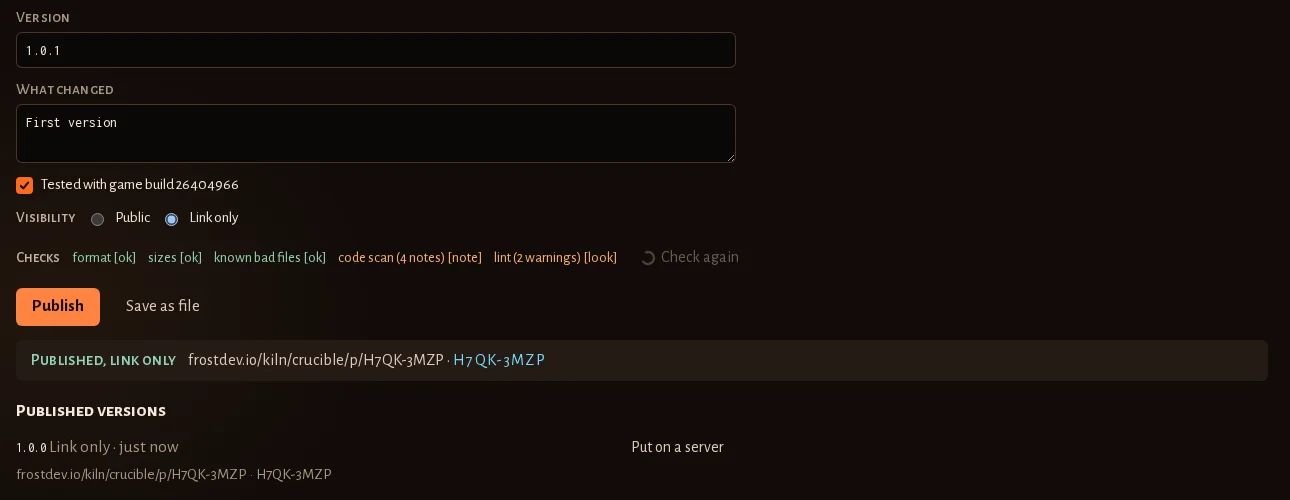
Checks shows what Crucible will check again on upload: the pack’s format, file sizes, known bad files, a code scan (which mods carry code) and the lint of your data. Crucible also scans settings for anything private and checks the credits. A public pack additionally needs your Discord account to be in the Kiln Discord and at least three days old. Until then it stays link only and the Studio says why; Make public asks again later without a new version.
Updates are two clicks: change the pack, open Publish, press Publish. Players get the new version as an
update offer, with their own changes kept. Save as file writes the pack as a .kilnpack instead, and Put on a
server puts a published version on one of your servers in the launcher (stop the server first), with the modpack its
players download.
Good to know
- The Data editors write plain JSON: comments in a file they save are lost (Raw JSON keeps what you type).
- Delete (top right) moves the pack’s draft to Kiln’s backups. Its profile stays, and what you published stays on Crucible.
- Share only mods you may share (terms).