Crucible: share your mods
Turn the mods you play into a link and a short code for your friends, update that link when your mods change, or save the pack as a file.
Crucible is Kiln’s modpack service on frostdev.io. You share the mods you play as a link and an eight-letter code. Your friends open it in the Kiln launcher and install the whole set in two clicks. They don’t need an account.
You need Kiln 0.2.0-dev.30 or newer. Crucible is in the launcher on Windows, Linux and the Steam Deck.
Share in one click
- On Play, load the mods you want to share. If you keep several profiles, load the right one first in Settings, Profiles: the pack is the profile that is loaded now.
- Press Share to Crucible, under the big Play button.
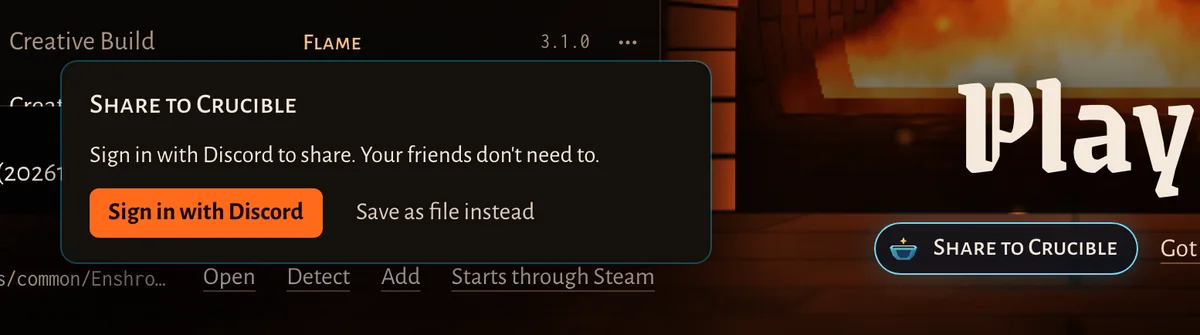
- The first time, the launcher asks you to sign in with Discord. Press Sign in with Discord, approve Kiln on the page that opens in your browser, then come back. Kiln gets your Discord name, ID and picture, nothing else. The share carries on by itself once you are signed in.
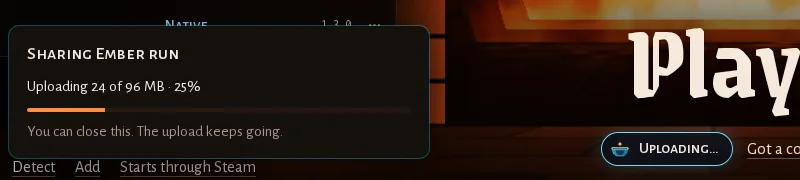
- The launcher uploads the pack. Only files Crucible doesn’t have yet are sent, so mods other people shared before go up in no time. You can close the box: the upload keeps going.
- When it’s done, the link is already copied. Paste it to your friends. The box also shows the code (like
H7QK-3MZP) with its own Copy button, for friends who’d rather type it.
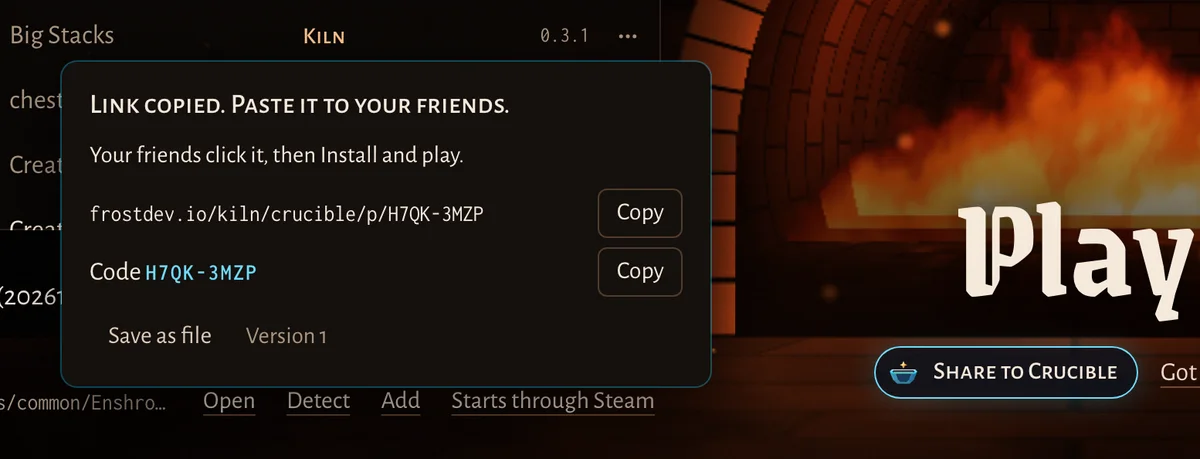
Press Share to Crucible again any time to see the same link and code. On the Steam Deck the share shows a QR code your friends can scan with a phone.
What goes into the pack
- Every mod of the profile, exactly as your Library holds it, for every loader (Kiln, ShroudForge, EML, EMF and the rest).
- Your switches: a mod you switched off travels as an optional mod, off. Your friends can turn it on before they install.
- Not your settings files, your saves or your worlds.
A one-click share is link only: anyone with the link or the code can open it, but it isn’t listed on the Crucible website. To add your settings or your own item and recipe changes, or to list a pack publicly with credits, use Pack Studio.
Update the link when your mods change
Add, update, switch or remove a mod in a profile you shared, and Share to Crucible shows a Pack changed pill. Press it, then Update link. The link and the code stay the same; Crucible gets a new version of the pack and your friends see an update offer on their Play page (installing a pack).
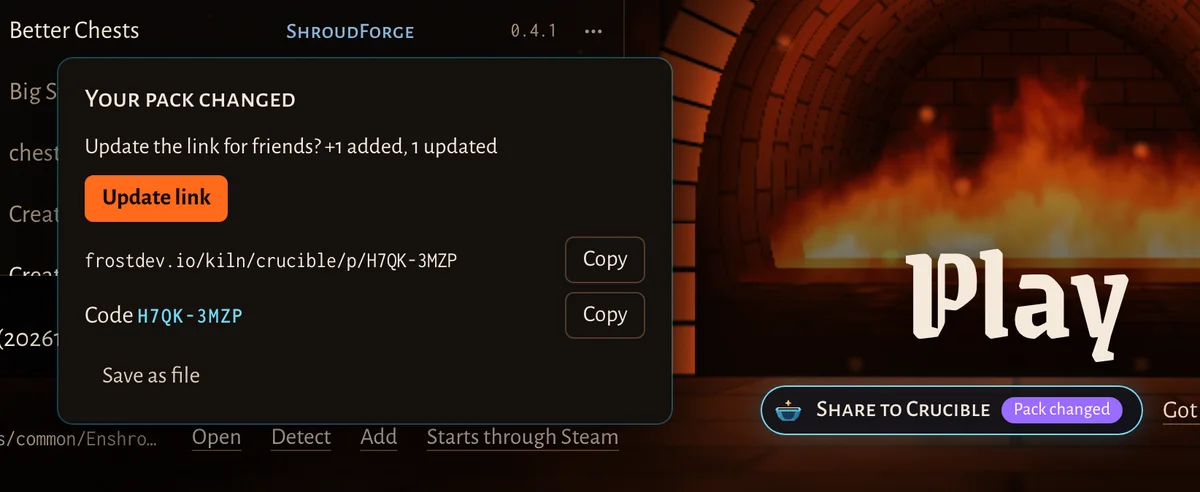
Save as file
Save as file (in the share box, or Save as file instead before you sign in) writes the pack as one
.kilnpack file in a folder you pick. Send it any way you like. Your friend drops it on the launcher window and gets the same preview as for a link,
with the pack’s checks. A file works without Crucible and without a sign-in.
Your shared packs
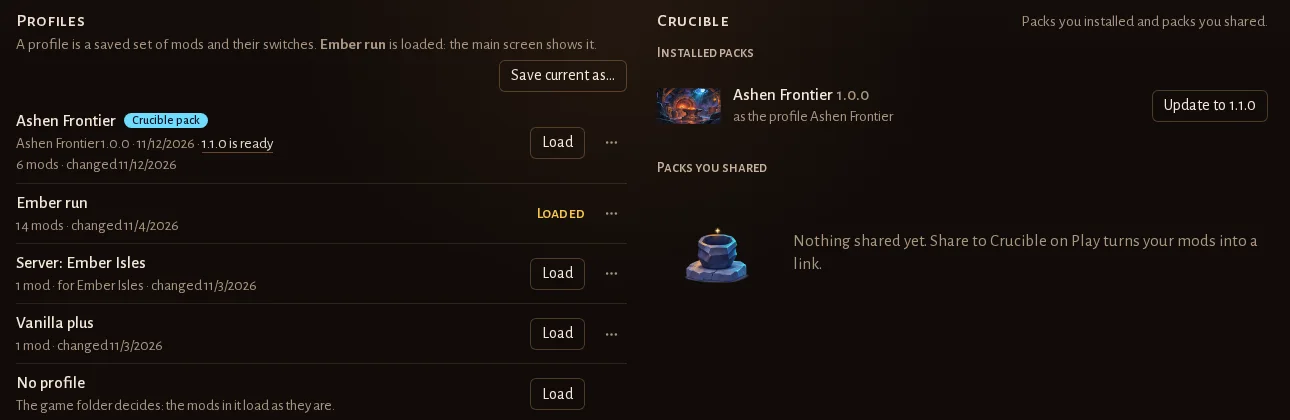
Settings, Profiles has a Crucible card: the packs you installed and the packs you shared, with their version.
Good to know
- Share only mods you may share, and credit their authors when you publish publicly (terms).
- What Crucible keeps about you: privacy. Your friends install with Crucible: install a pack.